 11
11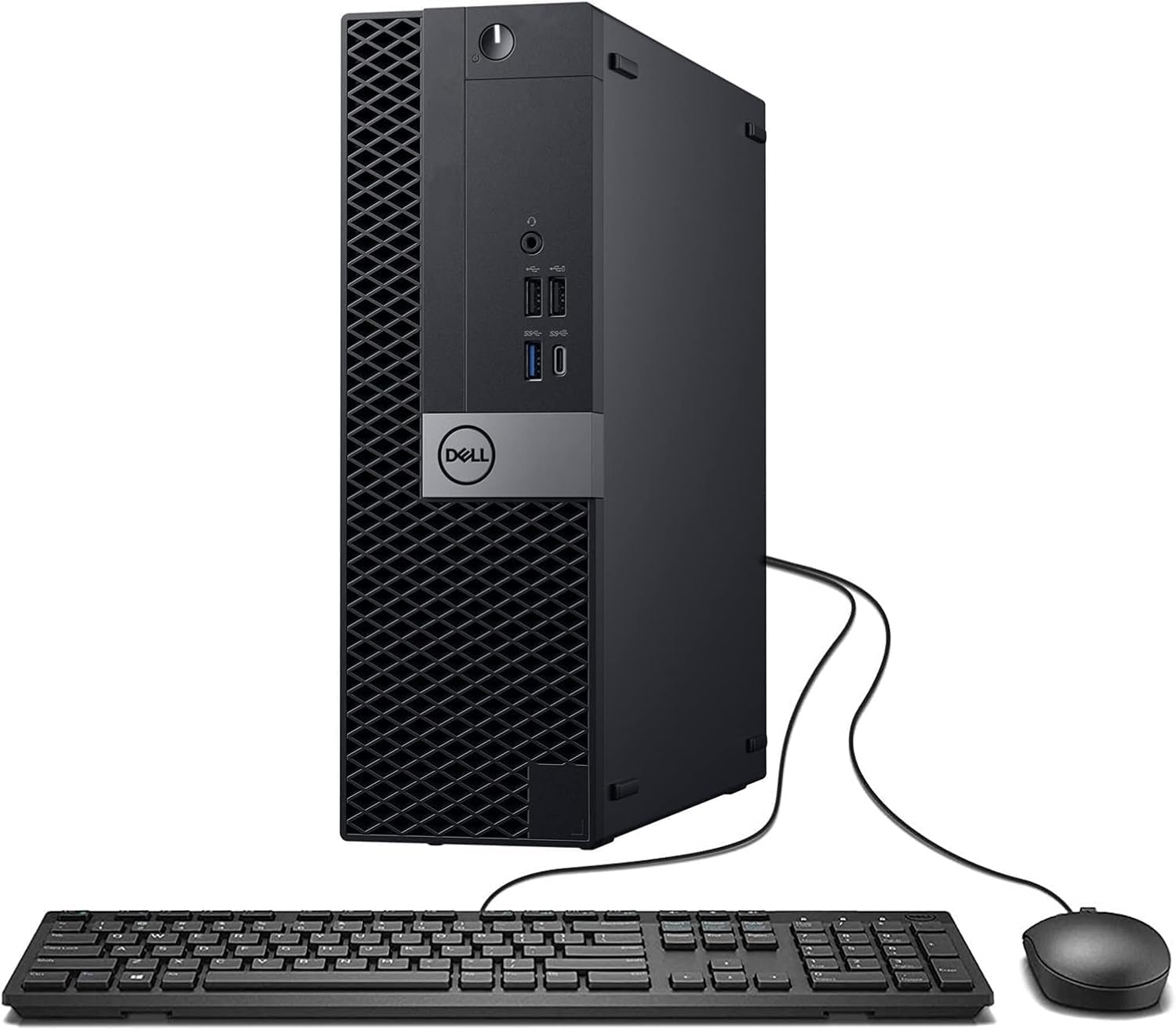
In today’s computing landscape, not every user requires a large, power-hungry tower to achieve reliable performance. Small form factor (SFF) desktops have become increasingly popular for their ability to deliver solid computing power in a compact, space-efficient design. The Dell OptiPlex 7050 SFF Desktop PC is a notable example of this category, offering a balanced configuration tailored for office environments, remote work, and general productivity.
This article provides a detailed, informational overview of the system’s hardware, design philosophy, and practical applications. It focuses on how the components work together to support everyday computing tasks in a professional or home setting.
The Dell OptiPlex 7050 is built with a small form factor (SFF) chassis, designed to maximize efficiency while minimizing physical footprint.
This form factor is particularly beneficial in environments where space optimization and clean desk setups are priorities, such as offices, classrooms, and home workstations.
At the heart of the system is the Intel Core i7-7700, a 7th-generation processor built on Intel’s Kaby Lake architecture.
The processor is designed to handle:
While not part of the latest CPU generations, it remains capable for a wide range of general-purpose workloads, especially when paired with sufficient memory and fast storage.
The system includes 32GB of DDR4 memory, which is a substantial capacity for a desktop in this category.
DDR4 memory offers reliable speed and efficiency for business and home use, ensuring stable performance during extended sessions.
Storage is handled by a 1TB SSD, providing a balance between capacity and performance.
A 1TB capacity is suitable for:
This makes the system well-suited for users who need both speed and sufficient storage space without relying on external drives.
The Dell OptiPlex 7050 SFF includes integrated graphics via the Intel processor, supporting standard display tasks.
Dual monitor setups are especially useful for:
While not designed for high-end gaming or GPU-intensive tasks, the graphics capabilities are more than adequate for everyday visual computing needs.
Connectivity plays a key role in modern desktop usability, and this system includes several essential options.
These features ensure compatibility with a wide range of devices, from printers and external drives to wireless keyboards and headphones.
The system comes with Windows 11 Pro, a version of Microsoft’s operating system tailored for professional use.
Windows 11 Pro is particularly useful in:
Its compatibility with modern software ensures that users can run current applications without major limitations.
This system is labeled as renewed, which generally indicates that it has been refurbished, tested, and restored to a fully functional state.
Renewed systems are often used in:
The Dell OptiPlex 7050 SFF is configured to deliver stable and consistent performance across a range of everyday tasks.
The combination of a capable CPU, high RAM capacity, and SSD storage ensures a responsive user experience.
Ideal for business environments where reliability and consistency are key.
Supports video conferencing, document management, and cloud-based tools.
Suitable for students and institutions needing dependable computing for research and assignments.
Can function as an additional workstation for multitasking or specialized tasks.
One of the defining features of the OptiPlex 7050 SFF is its ability to fit into tight spaces.
This makes it particularly attractive for users who value organization and efficient use of workspace.
Despite its compact size, the system allows for certain upgrades and maintenance.
This flexibility extends the usability of the system over time.
Business-class desktops like the OptiPlex series are designed with efficiency in mind.
These characteristics are important in environments where systems run for many hours each day.
The Dell OptiPlex 7050 SFF Desktop PC represents a practical and efficient computing solution for users who prioritize reliability, compact design, and solid everyday performance. Its combination of a capable processor, high memory capacity, and fast SSD storage allows it to handle a wide range of productivity tasks with ease.
The small form factor design enhances its versatility, making it suitable for various environments—from office desks to home workstations. With modern connectivity features and a professional-grade operating system, it remains a relevant option for users seeking a dependable desktop experience.
Understanding how each component contributes to overall functionality helps illustrate why systems like this continue to be widely used in both professional and personal computing scenarios.